


Live Weather: Forecast & Radar
3.820.00 Reviews
App Specs
- Version
- 1.3.1.0
- Updated On
- License
- Free
- Downloads
- 100,000+
- Developer
- Chavazoem Potenutme
- Categories
- Weather
- Platform
- Android
Screenshots
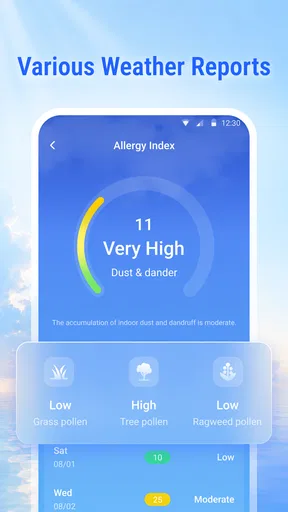
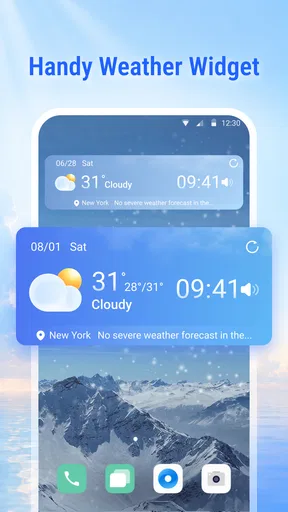
 Analysis by AppCompare
I often check the weather because I need to decide something small: whether to walk, take a jacket, or move an errand to later. The annoying part is that a forecast can be easy to open yet still leave me comparing screens and second-guessing the plan. Live Weather: Forecast & Radar is aimed at making that routine quicker, though its value depends on whether its live forecast gives you enough confidence for the choices you make.
Why a quick check can still take too long
The recurring problem is not usually a lack of weather information; it is getting a clear enough answer without turning a small decision into a search session. I want to know whether to bring a layer or shift a walk, then get on with my day. A focused weather app can help by giving that check a regular place, but it only saves time if its forecast is easy to interpret and relevant to where I am going.
A quicker answer to the everyday weather question
This is a weather app from Chavazoem Potenutme, built around a straightforward need: check conditions and plan the day. I like that framing because most people do not want to study the weather for its own sake. They want a useful answer before leaving home. The app’s appeal is less about replacing a full meteorological workstation and more about reducing the effort between wondering what the weather will do and making a practical decision.
That distinction matters. A quick forecast can save time when you are deciding whether to carry an umbrella, but it is not automatically enough for every situation. If a change in conditions would affect a long drive, outdoor work, or an event that is difficult to reschedule, I would still compare the forecast with another trusted source. For ordinary plans, though, a focused weather app can be the more convenient habit.
Live Weather is free to download and has a 3.8 average from around 450 ratings, with more than 100,000 installs. That suggests it has found a real audience, but I would treat the rating as a reason to keep expectations measured rather than as proof that it will suit everyone. Weather apps are judged on small details: whether the information feels current, whether the right location is easy to check, and whether the screen answers the question without extra work.
Start with the place you actually need
My first recommendation is to make location the priority during setup. A forecast is only useful when it is tied to the place where you will be, not merely the place where you are reading it. If your day includes a commute, a school run, or a visit across town, think about which location should guide your decisions before you rely on the app as part of your routine.
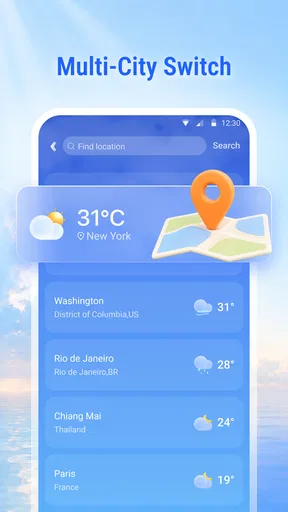
There is a practical trade-off here. A single home location is simpler and makes a fast glance easier; checking several places is more useful when your schedule moves around. I would avoid turning a quick weather check into a habit of collecting locations you rarely visit. Keeping the locations relevant makes it easier to spot the one forecast that affects today’s plans.
Worth Reading Before You Choose

EA SPORTS FC Mobile 26 Is a Bigger Football Game, but It Takes Time

Flipboard Shows What News Apps Must Do Beyond the Feed

Switching to Android Auto Means Rethinking Your Driving Routine

Google Calendar Makes a Crowded Week Easier to Manage

Ludo King Makes the Most of the Minutes Between Plans

Baby Panda World Brings Quick Play to Modern Phones, but Its Game Library Feels Busy
The app is free, but it includes in-app purchases priced from $2.99 to $49.99 per item. That is worth knowing before treating every available option as part of the basic experience. I would begin with the free version and identify a specific friction point before paying for anything. If the free app already answers your everyday questions, there is little reason to spend just because an upgrade is presented.
Its current version is 1.3.1.0, and it supports devices running Android 9 or later. The age rating is Everyone, so it is positioned for general use. Those details make it easy to judge basic compatibility, but they do not tell you whether the app’s forecast presentation matches your preferences. I would install it, check a few ordinary days, and see whether it helps you make decisions faster than your current weather source.
Use it to make plans, not just to watch the forecast
Imagine you are leaving for work and have a short walk before reaching transport. Instead of opening several weather pages, you can make one check and decide whether to take an extra layer or allow time for a change in conditions. The benefit is modest but real: fewer little decisions made at the door, and less chance of discovering that your plan depended on a weather assumption you never checked.
A second useful routine is to check before committing to an outdoor errand. If you have groceries to collect or need to walk the dog, look at the forecast before choosing the order of your tasks. When the weather looks uncertain, do the time-sensitive outdoor part first and leave flexible indoor work for later. This is not a special feature; it is a better way to use a forecast app than opening it only after the weather has already changed.
For a busy day with more than one destination, I would check the relevant place at the moment I am planning that part of the day rather than assume conditions at home will match everywhere else. That small habit is especially useful when an outing involves travel. It also guards against a common weakness of casual weather checking: people remember the forecast they saw in the morning and apply it to a different place hours later.
Live Weather’s “live” positioning makes freshness a natural concern. My practical advice is to use it for routine planning, then refresh your check when the decision matters and conditions seem unsettled. No single glance should be treated as a guarantee. This is a sensible approach with any weather service, and it helps keep the app’s convenience from turning into misplaced certainty.
A simple workflow for a changeable day
On a day when I have a morning appointment and an outdoor task later, I would check the destination when planning the appointment, then look again before leaving for the task. That separates two decisions instead of assuming one early forecast will cover the whole day. If plans are flexible, I can use the check to decide which task comes first; if the forecast remains uncertain, I can keep a backup plan rather than repeatedly refreshing and hoping for certainty.
This is also a useful way to judge whether the app suits you. After a few days, ask whether its forecast helped you pack, choose a time, or avoid an unnecessary trip. If it merely repeats information you already get from your phone, it may not deserve another place on your home screen. The value is not the number of checks but whether one of them changes a decision for the better.
Where it can reduce friction—and where it may not
The main friction a weather app can remove is repeated searching. If you currently bounce between a general search, a browser page, and a second app to answer a simple question, a dedicated place to check conditions may make the routine feel lighter. I would judge this app by whether it gives you a usable answer in fewer steps, not by how often you open it or how much information it can display.
There is also a useful distinction between a forecast you can glance at and one you can act on. A broad daily outlook is enough for deciding whether to bring a coat. It may not be enough for choosing the safest time for a long outdoor activity. When a plan is expensive, risky, or hard to change, use a more detailed source as a cross-check instead of expecting a convenient mobile forecast to settle every uncertainty.
Compared with the weather panel built into a phone or a search result, a dedicated app can be easier to return to and make part of a morning routine. Compared with specialist weather tools, a general daily app is usually the better fit for ordinary decisions, while people who need detailed maps, technical observations, or close monitoring of severe conditions should choose a service built for that work. I would not pick Live Weather solely because it is labeled live; I would pick it if its everyday presentation is quicker for me.
One non-obvious way to make it more useful is to connect the forecast to a decision you already make. Check before packing, before choosing a walking route, or before deciding which errand to do first. That creates a clear test: did the app help me make the choice with less effort? If you open it repeatedly without changing a plan, it may be adding screen time rather than saving it.
Another trade-off is that convenience can encourage overchecking. Weather changes, and repeated checks do not always produce a better decision. I would choose a few sensible moments—such as before leaving and before an outdoor commitment—rather than refreshing constantly. That keeps the app useful without letting small forecast changes dominate an otherwise ordinary day.
Who will get the most from it
I think Live Weather is best suited to someone who wants a simple daily companion for basic planning and is willing to judge it by how well it fits their routine. It may be particularly handy if you often forget to check conditions until you are already heading out. A quick pre-departure glance can help you prepare, while a second check before a flexible outdoor task can help you reorder the day.
I would be more cautious if you need dependable, highly detailed information for work, travel, or safety-critical decisions. In that case, compare forecasts and use a specialist service when the stakes justify it. I would also skip it if your phone’s existing weather tool already gives you the information you need without delay; installing another app is not an improvement if it only duplicates the same glance.
There is no need to pay immediately. Since the app is free to start and offers purchases in a wide price range, use the basic experience first and decide whether a paid option solves a problem you actually have. A purchase makes sense only when the benefit is clear to you, not simply because you hope a paid tier will make an ordinary forecast more reliable.
My verdict: useful when it earns a place in your routine
I see Live Weather as a practical option for reducing the small daily hassle of checking conditions before making plans. Its strengths are easiest to appreciate when you keep the task modest: prepare for the day, choose the order of errands, and avoid leaving home without thinking about the weather. Its limits matter just as much: a convenient forecast is not a promise, and people with demanding weather needs may be better served by a more specialized alternative.
With a 3.8 average, I would approach it as a reasonable try rather than an automatic recommendation. Install it if you want a dedicated weather check and see whether it saves you a few steps over the source you already use. Keep only the locations that matter, check at decision points instead of constantly, and cross-check when the consequences of being wrong are significant. If it makes those everyday choices easier, it has earned its spot; if not, your phone’s existing forecast may be enough.
Pros
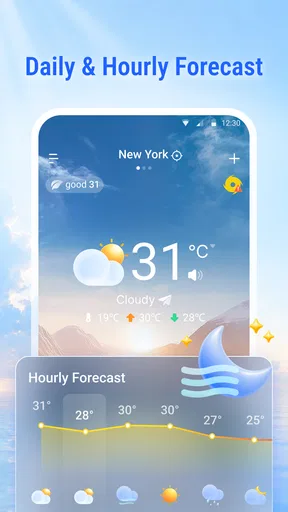
- Hourly and multi-day forecasts make it easy to check changing conditions.
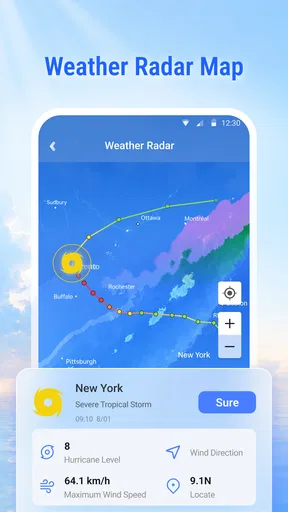
- Radar maps help visualize rain and other precipitation nearby.
- Weather alerts can provide advance notice of severe conditions.
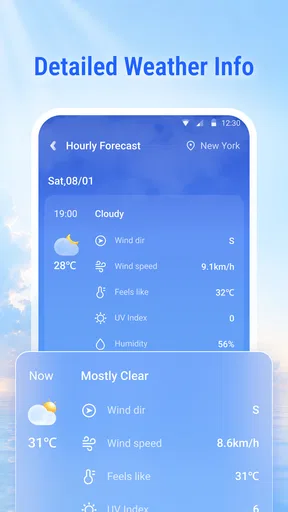
- Useful details include temperature
- wind
- humidity
- and visibility.
- A quick glance at the forecast can help with day-to-day planning.
Cons
- Forecast accuracy may vary by location and weather conditions.
- Radar and forecast data may not update instantly.
- Some features or content may require a subscription or in-app purchase.
- Frequent ads can interrupt browsing
- depending on the version.
- Location access is needed for convenient local forecasts.
FAQs for Live Weather: Forecast & Radar
What is Live Weather: Forecast & Radar used for?
Live Weather: Forecast & Radar is designed to help you check current conditions, view upcoming forecasts, and follow weather patterns on a map. Depending on the version and the information available for your location, it may show details such as temperature, precipitation, wind, and severe-weather alerts. Forecasts are estimates, so it is wise to check updated conditions before making plans that depend on precise weather.
Does Live Weather: Forecast & Radar provide accurate forecasts and real-time radar?
The app presents weather information and radar-style maps to make changing conditions easier to follow, but accuracy can vary by location, forecast range, and the data sources available. Radar and forecasts may also have delays or gaps, particularly in areas with limited coverage. Treat the information as a helpful guide rather than a guarantee, and consult official local alerts when severe weather could affect your safety.
Does Live Weather: Forecast & Radar require location access?
Location access can help the app display conditions and forecasts for where you are, but you may be able to search for a city or enter a location manually instead. If you grant permission, review whether your device offers options such as approximate location or access only while using the app. You can usually change permissions later in your phone’s settings, though some location-based features may then be limited.
Is Live Weather: Forecast & Radar free, and does it include ads or paid features?
Availability, pricing, advertising, and optional subscriptions can differ by platform, region, and app version. Check the app’s store listing and the purchase details shown inside the app before downloading or subscribing. If a trial or recurring plan is offered, read its renewal terms and cancellation instructions carefully. Also review what features are included at no cost, since access to certain displays or tools may require payment.
What should I check before downloading Live Weather: Forecast & Radar?
Before installing, confirm that the app is compatible with your Android or iOS device and review its latest store listing, update history, and requested permissions. Consider the privacy information, available language and location coverage, and whether the app’s features meet your needs. Download it from the official app store, and remember that internet access may be needed to refresh forecasts, maps, and alerts.


